Your life, in color.
The life-logging app
Kizamu
今日という一日が、人生をつくる。
Just like logging study hours, track work, study, sleep, rest, and time with people — all in color.
Kizamu makes how you spend your days and weeks visible, so you can compare it with your ideal — and grow the time that feels like you, little by little.
Free to start. Available on iOS in 8 languages.
For anyone who works,
learns, and lives on their own time.
Freelancers, business owners, students, people studying for a certification, anyone with a side hustle or a creative practice.
Between obligations and endless distractions, every day is full.
The hours you actually get to spend on what you care about
are fewer than you think.
You get swept up in busyness, open your phone for “just a quick break,”
and before you know it, the day is gone.
It’s time to change that day, little by little, starting today. Kizamu carves your days into color, so you can see exactly what you spend your time on.
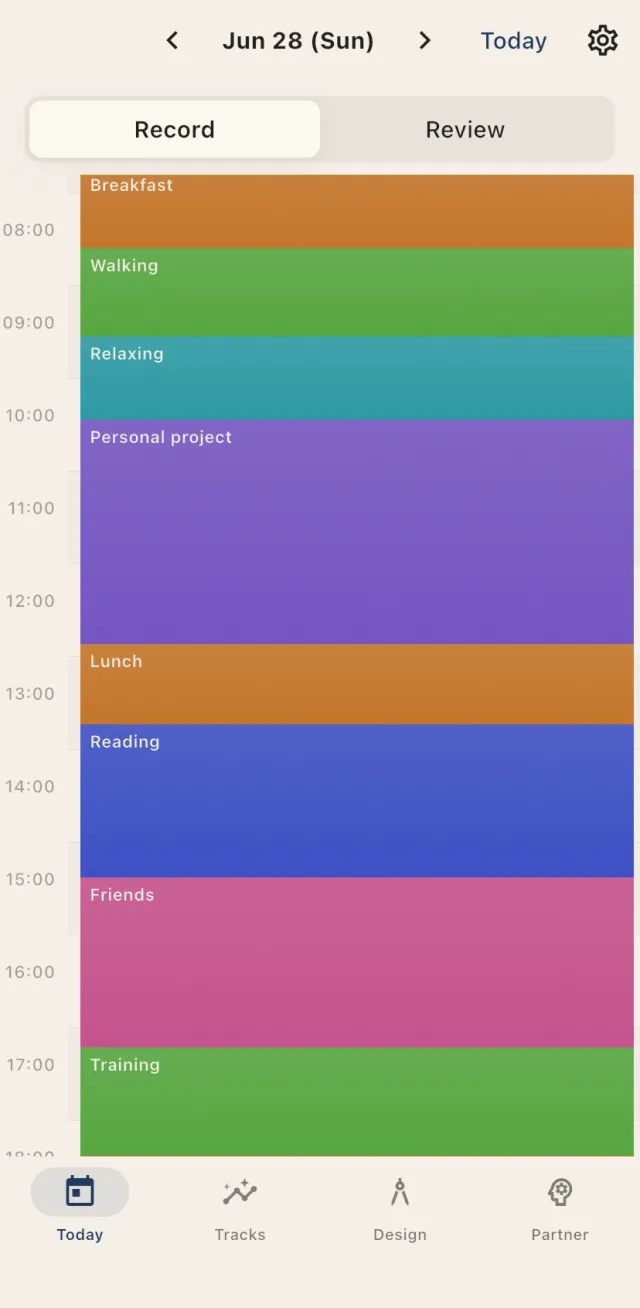
Record
Carve today.
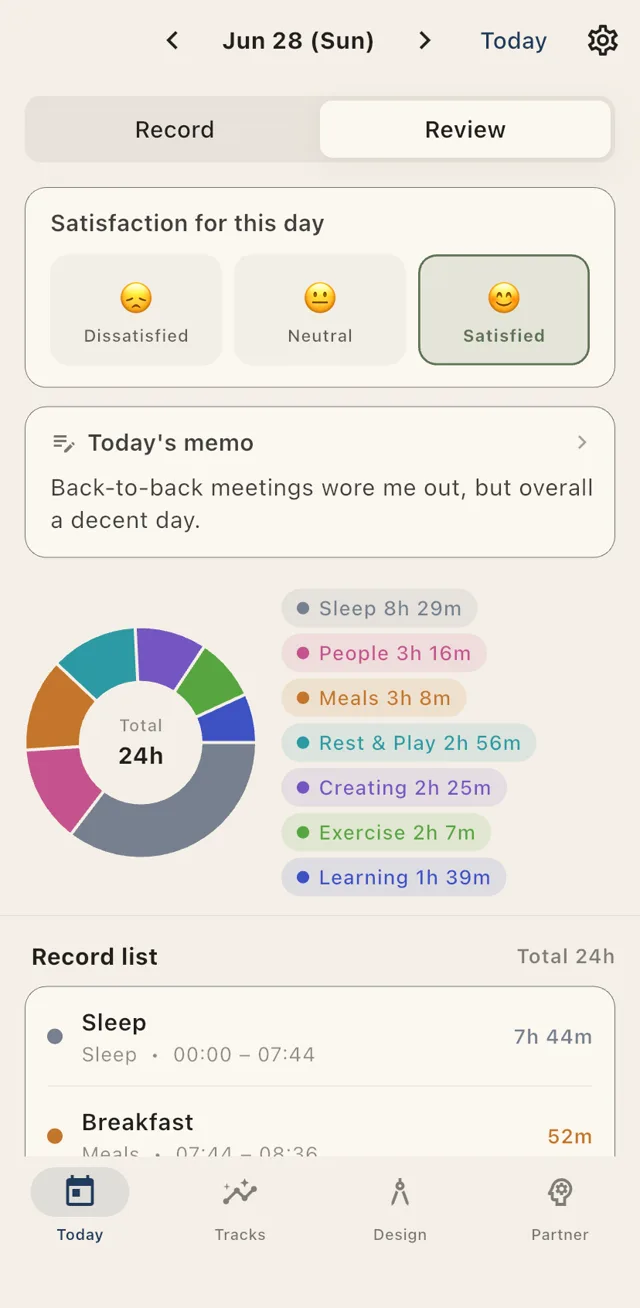
One-tap tracking, plus manual entries you can add later. Your day becomes a timeline colored by category, and at night you look back with a satisfaction rating and a note.
- Timeline logging — Tap an open slot to add an entry, long-press to move it. Carve your day by feel
- Daily satisfaction — Rate your day Good, Okay, or Rough, plus a quick note
- Categories, your way — Work, sleep, creating… design your own colors and hierarchy
Weekly
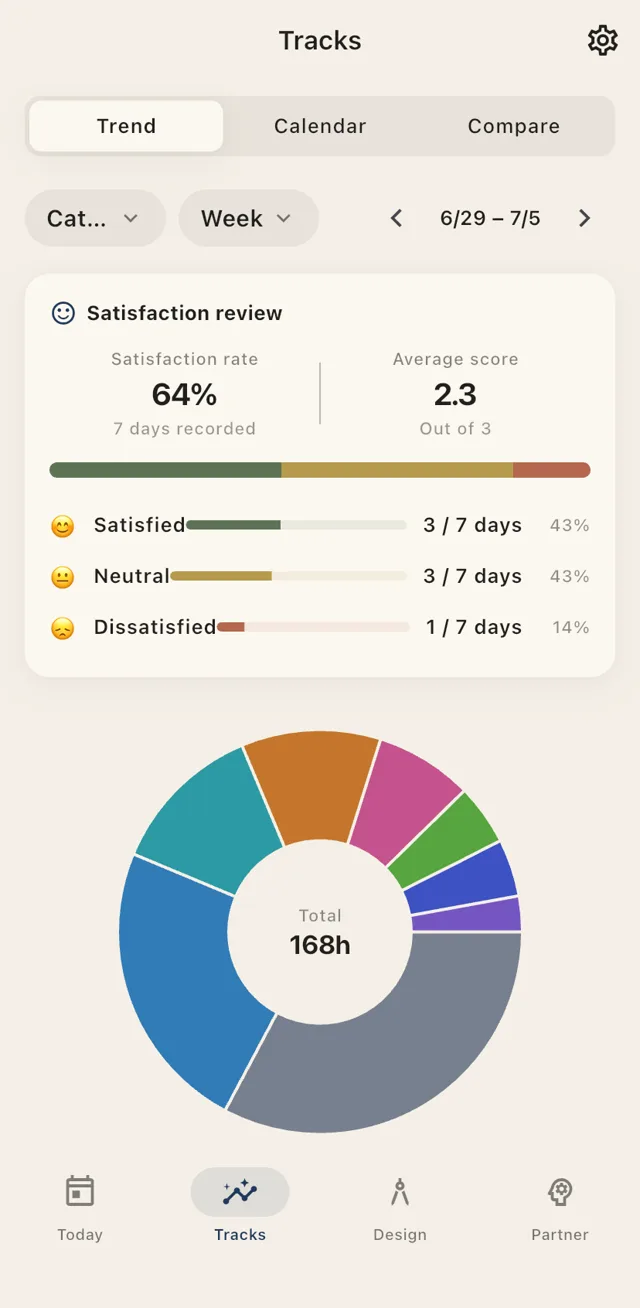
168 hours this week —
where did they go?
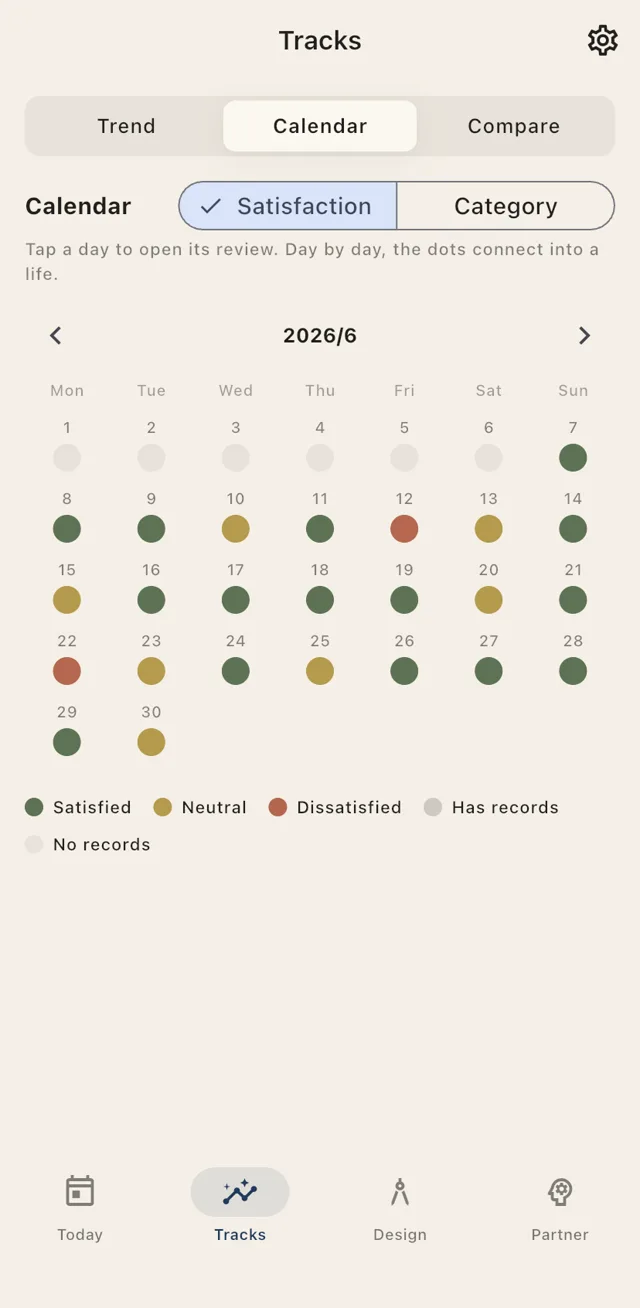
Look back on a week, and you’ll spot time you used better than you thought — and time that quietly slipped away. Sleep, work, study, your phone, rest: see exactly where it went, in numbers and color.
- This week’s breakdown — See what you spent your time on, in pie charts and numbers
- Satisfaction calendar — See your best days at a glance
- Weekly & monthly totals — Total hours per category — sleep, work, study, and more
Ideal × Actual
Compare your ideal day
with who you are today.
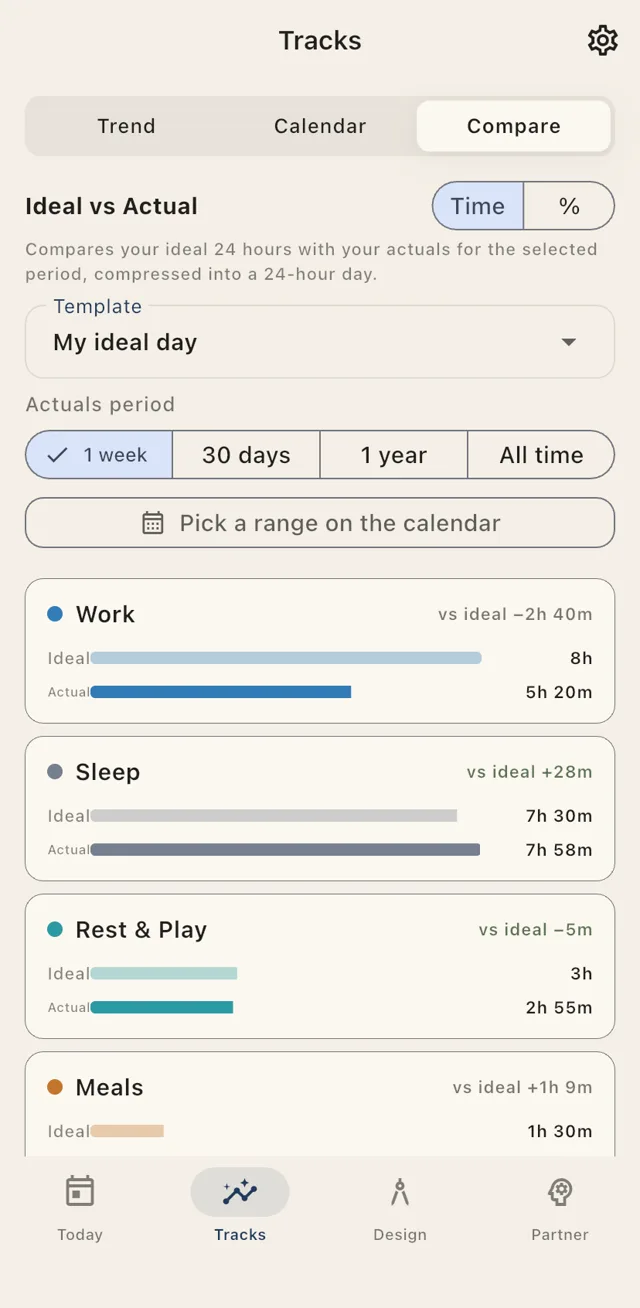
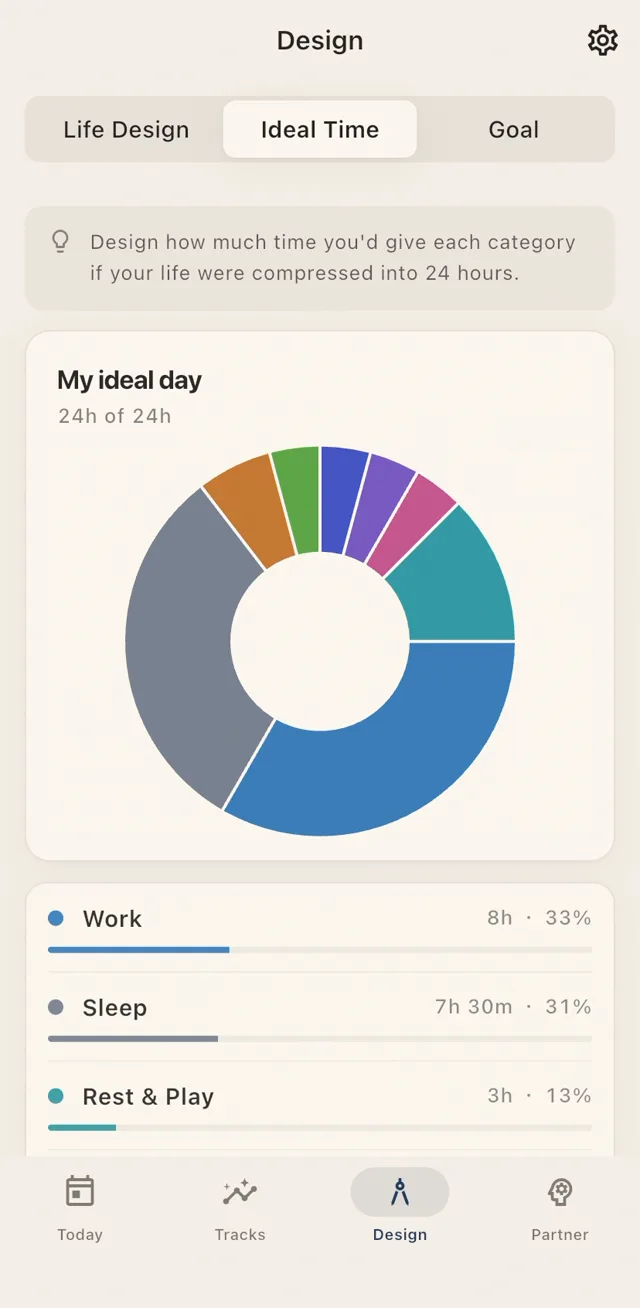
What do you really want to spend your time on — and what do you actually spend it on? See the difference, and next week’s changes start to come into focus. In Kizamu, design your ideal 24 hours and compare it with your real week, month, or year.
- Design your ideal day — Set your target time allocation for each category
- Compare with reality — Compress a week, 30 days, a year, or all time into 24 hours and compare
- See the difference — “Work −2h 13m.” The difference points to next week’s move
AI Reflection
Reflect together,
based on your record.
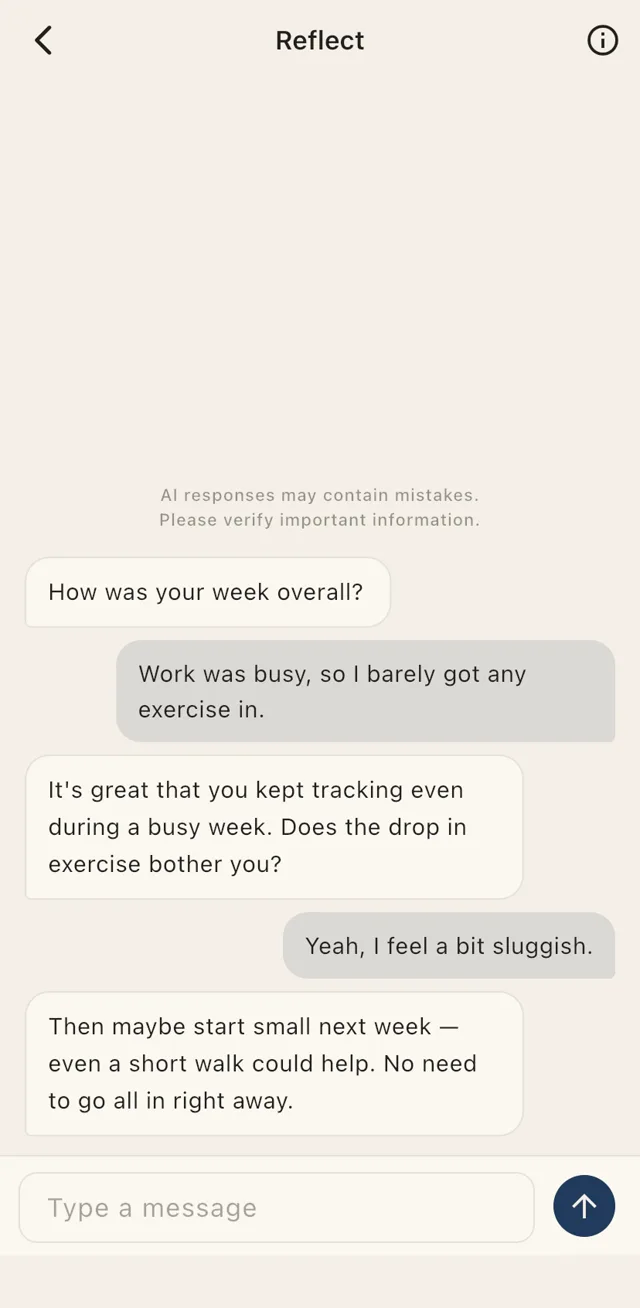
Based on how you’ve spent your time, your satisfaction, and your goals, AI helps you reflect — going beyond the numbers to help sort out your next step.
- Someone to reflect with — Look back on your recent logs and satisfaction, together with AI
- Sort out your goals — Get help setting, revisiting, and breaking down your goals
- All the way to next step — Go beyond staring at numbers and put next week’s move into words
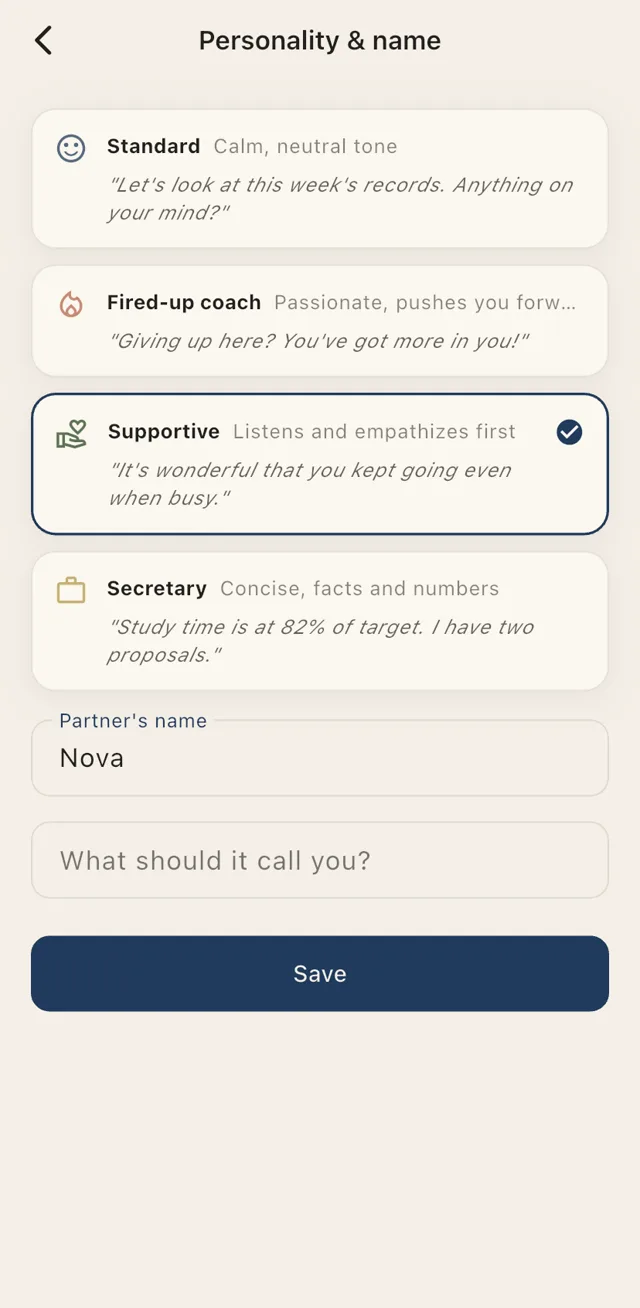
- Four personalities — Standard, Fired-up coach, Supportive, and Secretary. Name it, and choose how it addresses you
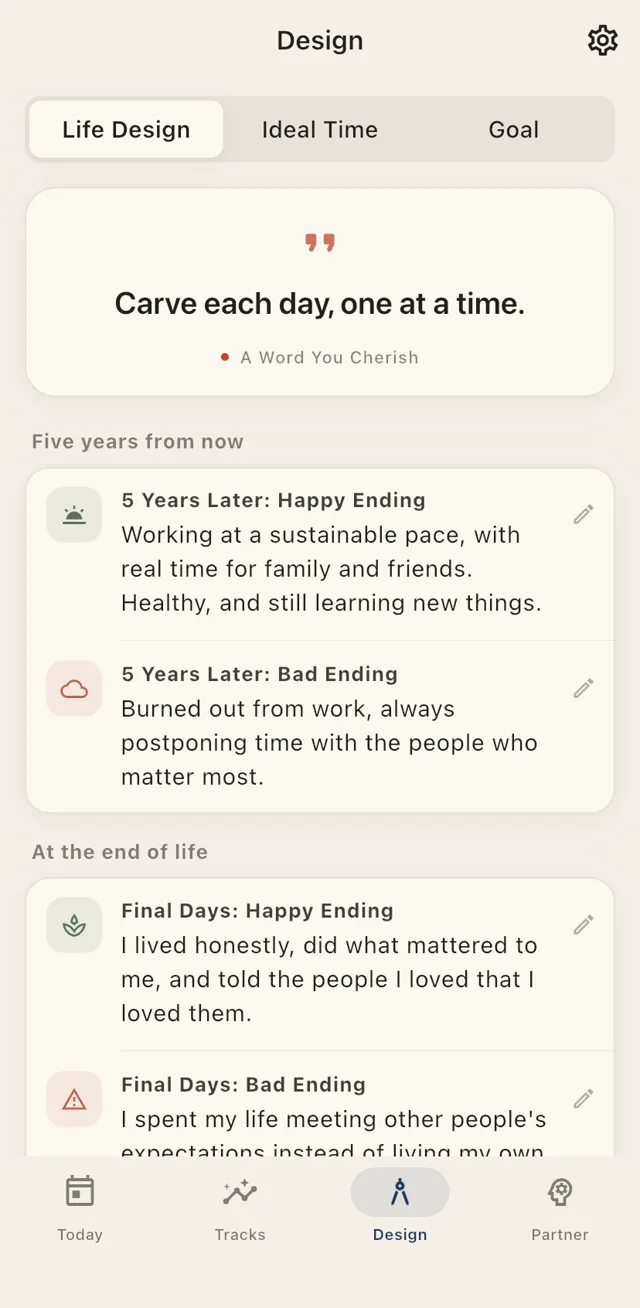
Life Design
From the view five years out,
down to this week’s next step.
Put both the happy ending and the cautionary one into words. A distant ideal and today’s log connect along a single line.
- Life design — Sketch out two endings: your view five years from now, and your life’s final chapter
- Your guiding words — Keep the phrase that anchors you always in view
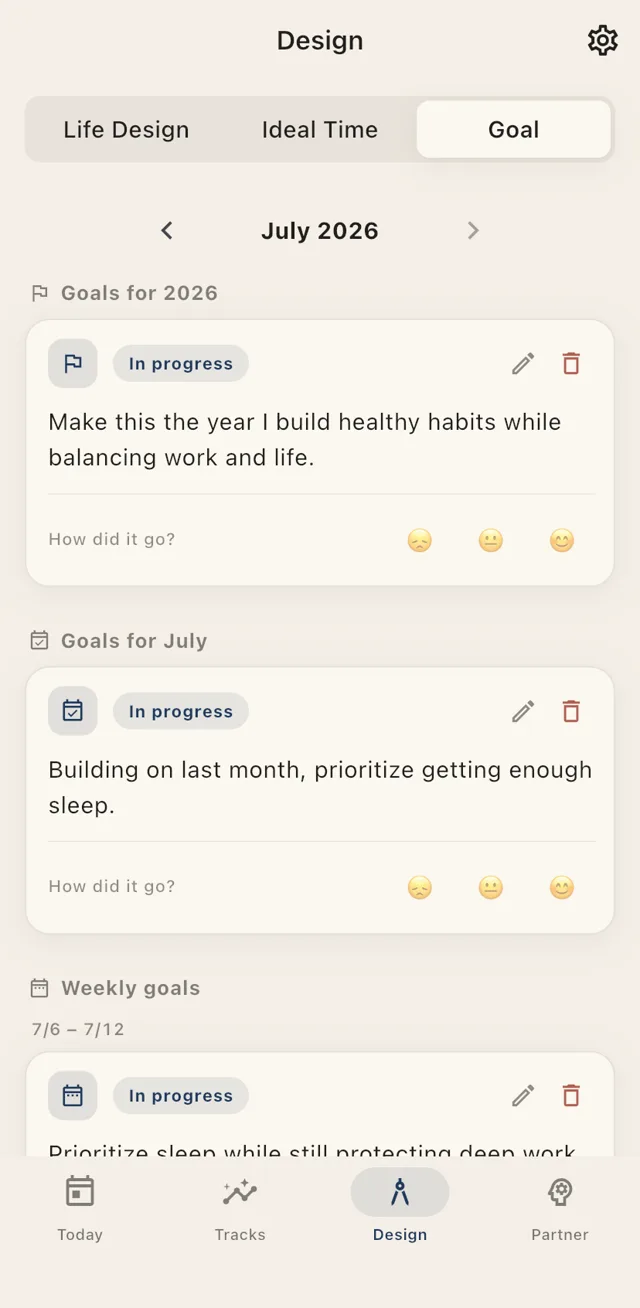
- Yearly, monthly, weekly goals — Break a big goal down to this week’s step
Day by Day
Carve this day.
One color. That’s all it takes. Everything starts with one tap.
Today will never come again.
Joy or sorrow — carve it as it is.
Carved days, layer upon layer.
Scattered days become a single life.
Each day, a whole life.
Cherish today — it will never come again.
That is the surest path to a truly satisfying life.
KIZAMU PHILOSOPHY
Sync & Export
Your record is your asset.
The time you log is yours. Kizamu doesn’t lock it away — take it to Notion, Google Sheets, or CSV, right in the tools you already use.
Notion
Automatically sync your logs and daily summaries to your Notion database
Google Sheets
Every log appends as a new row. Build any summary or chart you like
CSV export
Pick a date range and export your logs, satisfaction, and notes anytime
42 Seconds
Show, don’t tell.
From logging to reflection, comparing your ideal with reality, and AI — see it all in action.
Actual app footage (42 seconds, no audio). Tap to play or pause.
Pricing
Start free.
Go Pro when you’re serious.
Free
$0
Free forever
- Timeline logging and one-tap tracking
- Satisfaction rating and notes
- Tracks (daily view + last 90 days)
- Up to 6 categories
Recommended
Kizamu Pro
$34.99 / year
or $4.99/month — save over 40% with yearly
- AI partner (100 messages/month)
- Ideal × actual comparison
- All tracks (week, month, year, all time)
- Notion & Google Sheets sync
- CSV export/import
- Unlimited categories and groups
Prices shown are for the U.S. App Store; local pricing applies in other regions. Cancel anytime.
FAQ
Frequently asked questions
Can I use Kizamu for free?
Yes. The core features for carving your days — timeline logging, tracking, and satisfaction reviews — stay free forever. Pro adds the “go deeper” features: analysis, your AI partner, and outside integrations.
How does the AI partner handle my data?
It references your logs, satisfaction ratings, and goals to hold a conversation with you. For details, see “AI, Data & Rights” and the “AI Disclaimer.”
What happens to my data if I cancel?
You can cancel anytime from App Store subscription management. Nothing gets deleted — you can keep viewing it within the free feature set. Integrations pause, and automatically resume if you resubscribe.
What platforms does Kizamu support?
Kizamu is available for iPhone (iOS). It supports 8 languages: Japanese, English, Traditional Chinese, Korean, Spanish, French, German, and Portuguese.
Can I take my data to other tools?
Yes. With Pro, you get automatic sync to Notion and Google Sheets, plus CSV export. Your record is yours.
Now, carve today.
Today shapes your life.
Free to start. Available on iOS.